Précision
: tous les intitulés dont il est fait état ci-dessous
sont modifiables dans :
language/lang_french/lang_main.php ex
: $lang['Search_unanswered'] = 'Voir les messages sans réponses';

Chercher
le code :
<!-- BEGIN switch_user_logged_in -->
{LAST_VISIT_DATE}<br / > (correspond à
: dernière visite le..)
<!-- END switch_user_logged_in -->
{CURRENT_TIME}<br /></span> (correspond
à : la date/heure actuelle est...)
Comme
précisé en titre, les textes "Dernière
visite le" et "La date/heure actuelle
est" sont modifiables dans le fichier :
language/lang_french/lang_main.php
Pour les problèmes liés à l'affichage de l'heure, <<< cliquer ici >>>
Attention !
les
deux commandes "switch"
<!--
BEGIN switch_user_logged_in -->
et
<!-- END switch_user_logged_in -->
doivent toujours rester sur des lignes de codes séparées
!!
Leur rôle ? n'afficher le texte (Dernière visite le..) que si l'usager est connecté.

Chercher le code:
<span
class="nav"><a href="{U_INDEX}" class="nav">{L_INDEX}</a></span></td>
Comment faire
pour n'afficher que Index du forum sans le nom du site ??
danslanguage/lang_french/lang_main.php, chercher cette ligne de code:
$lang['Forum_Index'] = '%s Index du Forum';
// eg. sitename Forum Index, %s can be removed if you prefer
et supprimer la variable %s,
pour laisser : $lang['Forum_Index']
= 'Index du Forum'; // eg. sitename Forum Index, %s can be removed if
you prefer

Chercher le code :
<!-- BEGIN switch_user_logged_in -->
<a href="{U_SEARCH_NEW}" class="gensmall">{L_SEARCH_NEW}</a><br /><a href="{U_SEARCH_SELF}" class="gensmall">{L_SEARCH_SELF}</a><br />
<!-- END switch_user_logged_in -->
<a href="{U_SEARCH_UNANSWERED}" class="gensmall">{L_SEARCH_UNANSWERED}
Même remarque que ci-dessus à propos des commandes "switch"
{U_SEARCH_NEW},
{U_SEARCH_SELF},
{U_SEARCH_UNANSWERED}
représentent les liens
{L_SEARCH_NEW},
{L_SEARCH_SELF},
{L_SEARCH_UNANSWERED}
représentent
les textes du lien.


Chercher le code:
<tr>
<th colspan="2" class="thCornerL" height="25" nowrap> {L_FORUM} </th>
<th width="50" class="thTop" nowrap> {L_TOPICS} </th>
<th width="50" class="thTop" nowrap> {L_POSTS} </th>
<th class="thCornerR" nowrap> {L_LASTPOST} </th>
</tr>
 Chercher
le code:
Chercher
le code:
<td
class="catLeft" colspan="2" height="28"><span
class="cattitle"><a href="{catrow.U_VIEWCAT}"
class="cattitle">{catrow.CAT_DESC}</a></span></td>
 Chercher le code:
<td class="row1" align="center" valign="middle" height="50"><img src="{catrow.forumrow.FORUM_FOLDER_IMG}" width="46" height="25" alt="{catrow.forumrow.L_FORUM_FOLDER_ALT}" title="{catrow.forumrow.L_FORUM_FOLDER_ALT}" /></td>
Si vous avez modifié ce bouton, il se peut que sa taille ne soit plus adaptée (le bouton est alors déformé!).
Il suffit de mentionner les dimensions width et height de votre nouveau bouton à la place de celles existantes..(46 et 25)
 Chercher le code:
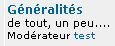
 <td class="row1" width="100%" height="50"><span class="forumlink"> <a href="{catrow.forumrow.U_VIEWFORUM}" class="forumlink">{catrow.forumrow.FORUM_NAME}</a><br />
</span> <span class="genmed">{catrow.forumrow.FORUM_DESC}<br />
</span><span class="gensmall">{catrow.forumrow.L_MODERATOR} {catrow.forumrow.MODERATORS}</span></td>
pour supprimer la mention "Modérateur : xxxx "
supprimer cette partie de code:
<span class="gensmall">{catrow.forumrow.L_MODERATOR} {catrow.forumrow.MODERATORS}</span>